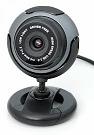
I have strugled with avserver/avconv, mjpeg-server and web-cam-server without success for some of my web cameras but
Motion
seems to work with most and it is the easiest software to set up for a webcam (or other type of video camera).
The main purpose of this software is to detect motion and record it or even do something more.
This document will help you to setup the streaming, in the future
you might use some of the additional features of this software.
e.g You can set it up for advanced motion detection,
I use Zoneminder for that purpose though I have several cameras to administrate.
For debian based systems like ubuntu and LinuxMint install as normally:
For Red-Hat/Centos RPM for Fedora 12/13/rawhide on x86/x86-64 – Available on RPM Fusion, build without DB support.
Motion and all its dependencies (ffmpeg…) are available on the RPM Fusion repository. Configure the repository and Install motion with
For other linux distributionsdownload and install the tar package.ntar and uncompress the file to the place you want the program installed. Recommended is to place the motion source file directory in